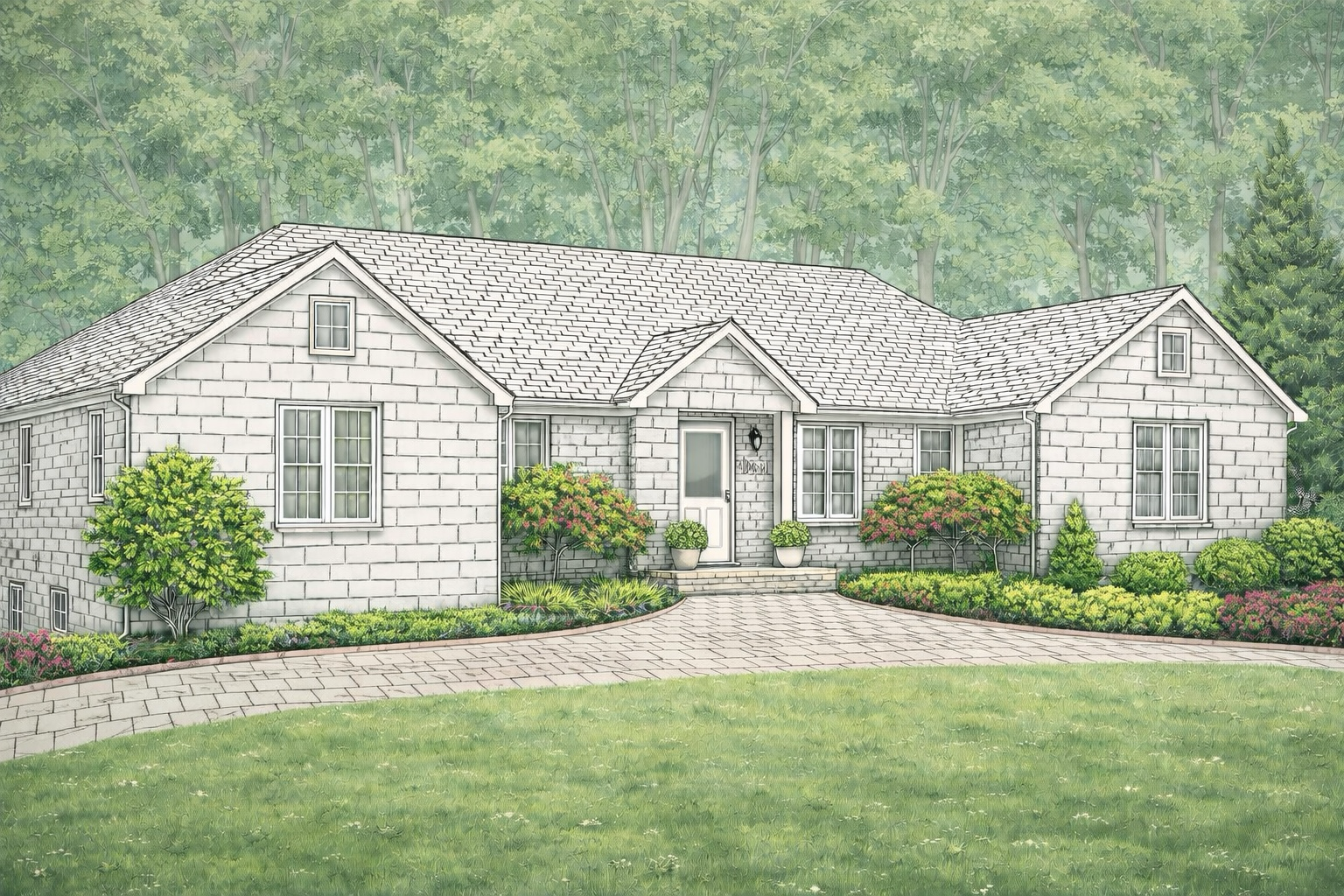
Tap ? Help to get started. Pinch to zoom, two-finger drag to pan. Single tap to draw points.
📋 Polygon Zone Data — Copy & Send to Claude
Copy everything below and paste it in a message to Claude. He'll update the live site immediately.
📂 Load Saved Progress
💡 "Add to existing" keeps everything you've already drawn and adds the loaded shapes on top. Great for building up over multiple sessions.
🏠 Polygon Zone Editor — Help
What is this?
This tool lets you trace the exact outline of each individual brick, shingle, or paver on the house image using your Apple Pencil. No grid math — every shape is custom and pixel-perfect.
Zoom & Pan (NEW!)
Pinch with two fingers to zoom in/out on the image
Drag with two fingers to pan around when zoomed in
🔍 Reset Zoom button snaps back to 1× view
Zoom in close to trace individual bricks with pixel-perfect precision!
How to trace a zone
1. Tap 🧱 Brick, 🏠 Roof, or 🪨 Walkway to pick the type
2. Make sure ✏️ Draw Mode is active (glows green)
3. Tap around the corners of a brick/shingle/paver with your Apple Pencil — each tap adds a point
4. When you've gone all the way around, double-tap the first point to close and save the shape
5. Repeat for the next brick
Other controls
↩ Undo — removes the last point you tapped
✕ Cancel — abandons the shape you're currently drawing
🗑 Clear All — removes all shapes
⬇ Export — generates the code to send to Claude
Save & Load
Auto-save — your work is automatically saved in the browser after every shape. If the page crashes, you'll be asked to restore when you come back.
💾 Save — downloads a .json file to your device. Keep this as a backup or to continue later.
📂 Load — upload a saved .json file. You can add to what's already on screen or replace everything.
⬇ Export — generates the code to send to Claude (same as before)
💡 Workflow tip: Save your progress to a file after each session. Next time, load that file, and keep adding more shapes. Everything merges together!
✅ You don't need to trace every single brick. Focus on the main visible areas. Claude will handle the rest.
⚠️ Stay on the actual brick/shingle/stone surface. Avoid windows, doors, gutters, and trim.
💡 Tip: Pinch-zoom in on a section, trace the bricks there, then pan to the next section. Much easier than tracing at full zoom-out!